Allergen names, and vegetarian, vegan and gluten-free labels, including when an option is available, now show in Spanish, French and Chinese on the food profile and allergy card.
Wi-Fi, email, the website and the address sit in the venue footer when the restaurant has filled them in. Search also finds dishes on the other menus at that place.
Building a selection, and the code for the waiter, stays on the phone menu.
Team settings now include Show calories. Turn it off and calorie counts, the daily kcal note and calorie filters disappear from public menus, the allergen board and signage.
On the allergen board, the menu list takes the place of the calorie filter.
The desktop menu now keeps Rate this menu and Report an update as buttons in the header and in the venue footer. Each opens the form, instead of leaving both forms open on the page.
The phone menu is unchanged. Reviews and menu updates stay on their buttons there.
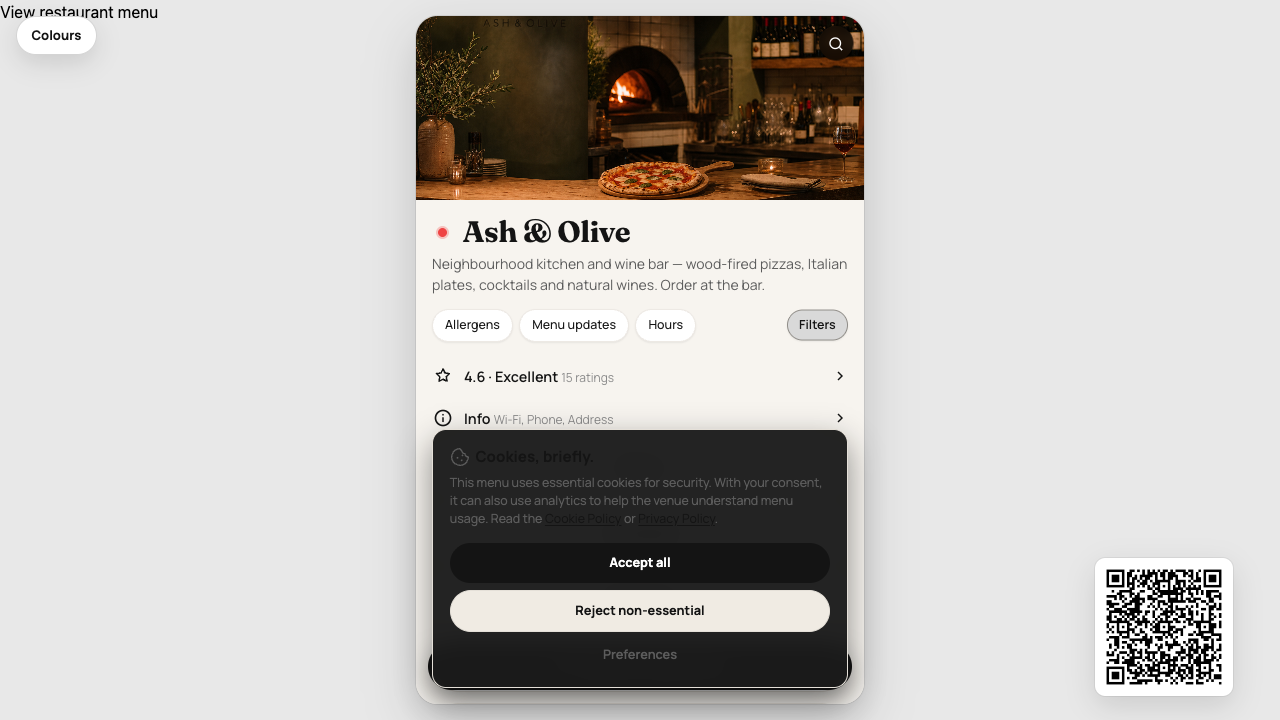
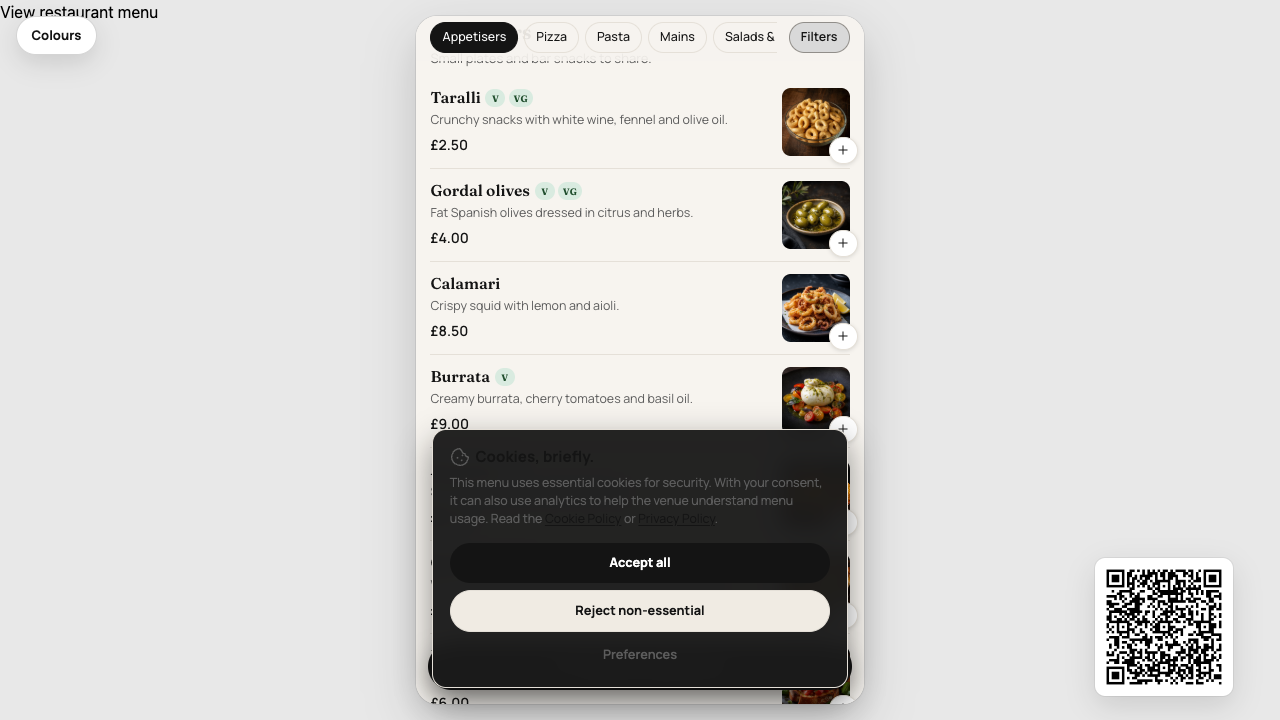
When a place has one menu, the phone menu opens straight on the dishes, with the photograph at the top. There is no back button, because there is nothing else to choose.
Places with several menus still show a button for each, and back returns to that list. The extra desktop menu button under Info has gone, because View restaurant menu is already at the top.
A venue with more than one outlet now lists the others beside Explore menus. Choosing one updates the dishes and the address, so that page can be shared.
Allergen and dietary filters stay on as you move between outlets and menus. A menu with start and end dates, such as Christmas, appears on its own while it is scheduled.
When you claim a prepared menu, Quiteful now chooses the plan from what is already on it.
One menu of up to 20 dishes stays on Free. More dishes, or a second menu, starts a 14-day trial of Essential at £9 a month. More than two menus starts a 14-day trial of Starter at £39 a month.
When you add a menu from a PDF, Quiteful now suggests allergens from the dish itself: cheese and mozzarella suggest milk, while vegan, plant-based or dairy-free cheese does not.
A printed chef’s favourite, signature, new dish or award can be suggested as a badge for you to review. A popular badge is only offered later, from dishes guests actually open.
Allergen suggestions stay unverified until you review them. Quiteful does not mark a dish as safe.
Guests can now keep Food Passport profiles for themselves and their dining group, with declared severity, an offline Allergy Card in the staff’s language, and a time-limited QR for restaurant handoff — without encoding medical details in the code.
Explore, Multi-Menu and native iPhone menus use the selected group automatically, and show how many dishes match each person. Quiteful never labels food as safe, and does not guarantee the absence of cross-contact.
Allergy Card from reviewed safety phrases, including Spanish, German, Polish and Greek
Dining group matching on maps and menus, with “some matching options” rather than a safety claim
Staff confirm a dietary discussion, not kitchen acceptance
Guests can now read Quiteful menus and Multi-Menu pages in English, French, German, Spanish, Portuguese, Italian, Czech, Greek, Dutch or Polish — while restaurants keep writing in their own source language.
Allergen matching still uses canonical IDs such as peanut, never translated names. Serious allergy wording is a separately reviewed Safety Language Pack, including an offline copy in the iPhone app.
Language selector on public menus, remembered for next time
Staff handoff language can differ from the diner’s language
Travel can suggest a local Allergy Card without changing the app language
Resorts, parks and campuses can now publish one Quiteful Venue link that searches every participating restaurant, cafe and kiosk — while each outlet keeps its own standalone menu URL.
Guests filter for a whole dining group, switch language, and open a booking link that already knows the stay dates. The web page works fully without installing the app.
Search and filter dishes across the destination, not a list of menu links
Opaque booking links and QR codes for the venue, a zone or a single outlet
Food Passport dining groups on the web, with an optional save to Quiteful
When a restaurant closes for good, Quietful can keep its page live with a clear permanently closed notice, a historical menu where a genuine source exists, and nearby places that are still open.
Closed venues stay on the same address as before. We never invent old dishes, prices or allergen information, and thin closure notices stay out of search.
Quietful restaurant pages now use a consistent title and heading, such as The Globe Glossop Menu, with sections for the menu, dietary information, restaurant details and nearby restaurants.
Stale and permanently closed listings stay on the same URL with a clear warning, and we only link through to a city, cuisine or dietary directory when that page is genuinely useful.
Explore is a public map and search for Quietful restaurant menus. You can look up a dish, a dietary need or a town and see which listings are live, claimed, preview or stale.
City pages such as Restaurants in Glossop only go into search indexes when there are enough complete menus to be useful — we do not generate thin filter combinations.
If Quietful already published a preview of your restaurant, you can now claim that same page — the address, menu history and visitor numbers stay put.
After you prove ownership, a short setup walkthrough lets you correct dishes, add dietary and allergen information, set branding and publish. Sponsored Pro venues keep paid tools for a set period without a card charge.
Analytics now shows what diners actually do on your Quietful menu: views, searches, dietary filters, popular dishes and booking clicks, including searches that returned no matching items.
Unclaimed restaurant pages can show genuine interest in the listing once enough diner visits have been counted — never a seeded or invented number.
Guests can now open a Quietful restaurant page with the full menu, dietary filters and honest allergen labels — including unclaimed previews that never pretend the venue is already a customer.
Restaurant owners can claim the listing from the same page, keep the menu current, and add verified allergen information without diners being sent through a marketing brochure first.
Live menus now open as the full restaurant page on a computer. Phones open the guest template automatically, and the orange control switches between the two.
The try demo still starts on the phone hub, with a hero image, venue info, and a button through to the desktop menu.
Need something updated? Email your dedicated Quiteful address or send us a request from your dashboard. We make the changes, check they are live, and email you when they are done.
Reply to that email if anything else needs adjusting — you do not need to chase a ticket number.
Printed menu QR codes now encode a short link instead of the full page URL, so the pattern has fewer dots and is easier to scan from a table tent or poster.
Allergen, nutrition, and restaurant-or-event codes all use the same compact format. Tracking still works when a guest scans.
You can sign in to the dashboard without setting up an authenticator app first. Two-factor login is still available from your profile if you want the extra check on sign-in.
Free and Essential venues now get a dedicated guest shell: a venue hub, allergen and dietary filters that stick across refresh, per-item selection notes, Wi-Fi details, ratings, social links, and font choice.
On desktop, a floating QR lets guests continue on their phone without losing their place.
Guests can tap dishes as they browse. The selection builds in a summary that stays within reach, then they can send it to staff with a QR or short code — and optionally push it to Square.
After the visit, they can leave a review from the same flow. It turns the digital menu into something faster than a PDF, without turning it into a full ordering app.
Floor staff can now browse a filterable menu on iPhone, mark dishes 86 with allergen-aware substitutes, manage bookings, lock edits, and check nutrition and allergen detail on device.
Sold-out and substitute flows stay consistent with what guests see, including when Square is the operational source of truth.
The public menu API now returns structured allergens and nutrition, so websites and apps can show the same trusted data guests see on a QR menu.
An embed script drops a live menu into any site, recipe modifiers travel with the payload, and per-team webhooks include a test action so you can confirm the connection before going live.
Upload a photo or PDF of a printed menu and Quiteful extracts names, descriptions, prices, and allergens into an editable digital menu.
A visual review step lets you correct OCR before anything is imported, with undo and redo. Prospect demos use the same flow, so a venue can see their own menu before they commit.
Until now, dietary flags were a simple yes or no. You can now mark a dish as gluten-free or vegan as served, or as available with a swap — and guests see that distinction with a tooltip on the public menu.
It is a small change that matches how kitchens actually work, and it keeps allergen and dietary information honest.
Cookies
(butter,
caster sugar,
egg,
plain flour,
dark chocolate,
vanilla extract)
Exclude allergens
We use a small number of essential cookies to keep you signed in and the site secure.
With your consent, we'd also like to use anonymised analytics to understand which features matter.
Read our Cookie Policy or Privacy Policy.
Your cookie preferences
Choose which categories Quiteful can use. You can change this any time via the Cookie preferences
link in the footer. See the Cookie Policy for the full list.
Strictly necessary
Session, authentication and CSRF cookies. Required to sign in and to keep the site secure. Always on.
Always on
Analytics & product insight
Anonymised, aggregated usage data so we can see which features get used and where we're losing people.
Loaded via Google Tag Manager. No resale.